

The .gov means it's official.
Federal government websites often end in .gov or .mil. Before sharing sensitive information, make sure you're on a federal government site.

The site is secure.
The https:// ensures that you are connecting to the official website and that any information you provide is encrypted and transmitted securely.

Permits Online: How to Use One-time Verification Code
When you enter your user name/email address and password into Permits Online, we will email you a one-time verification code that you will need to enter to complete your login.
The use of a one-time verification code is a multi-factor authentication (MFA) mechanism to verify your identity by requiring you to provide more than just a username and password.
This login process provides an increased level of security when accessing your Permits Online account.
- See Additional Information About One-time verification code for answers to common questions about using the one-time verification code when logging in to Permits Online.
Use of one-time verification code
- Navigate to the Permits Online Login page (my.TTB.gov or Permits Online)
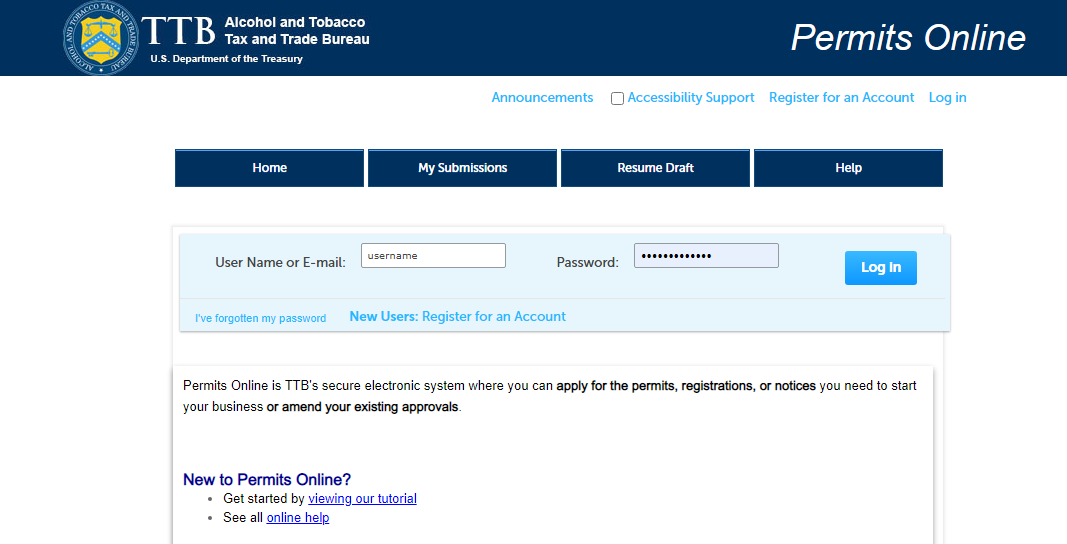
- Enter your login credentials
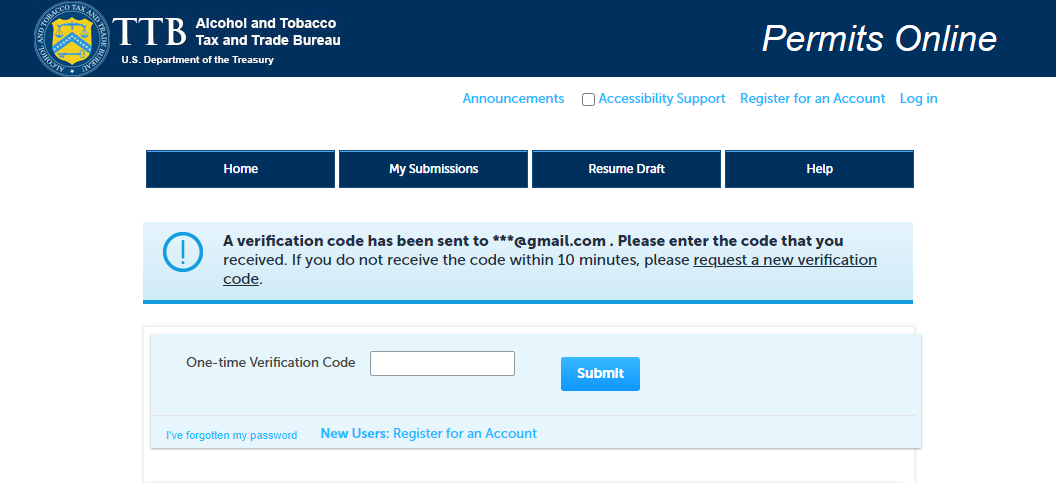
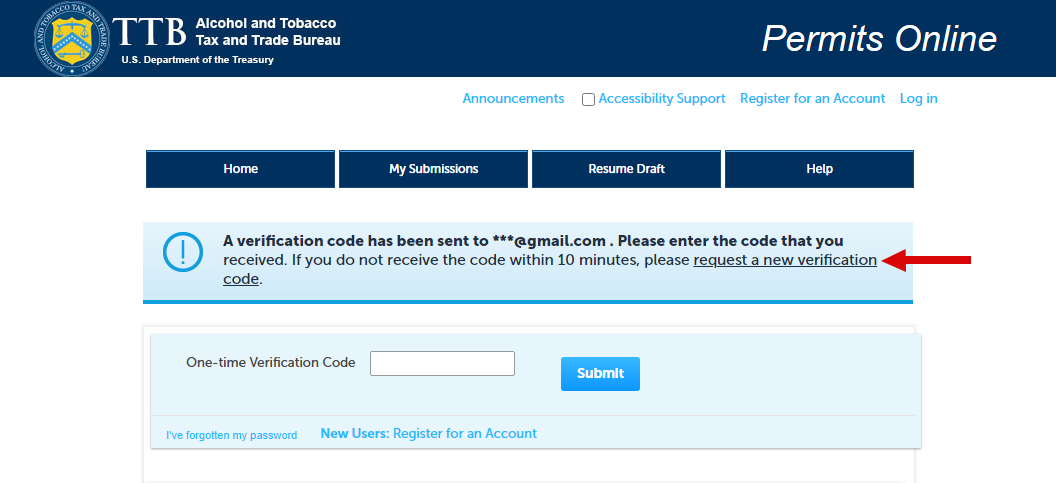
- After successful validation of your login credentials, a message will display on the screen informing you that a verification code has been sent to your email address.
- The code will be valid for 30 minutes and will be sent to the email address listed in the Login Information section of your user profile.
- If you’re unsure which email address is listed, see Permits Online: How to Identify Email Associated With Account.
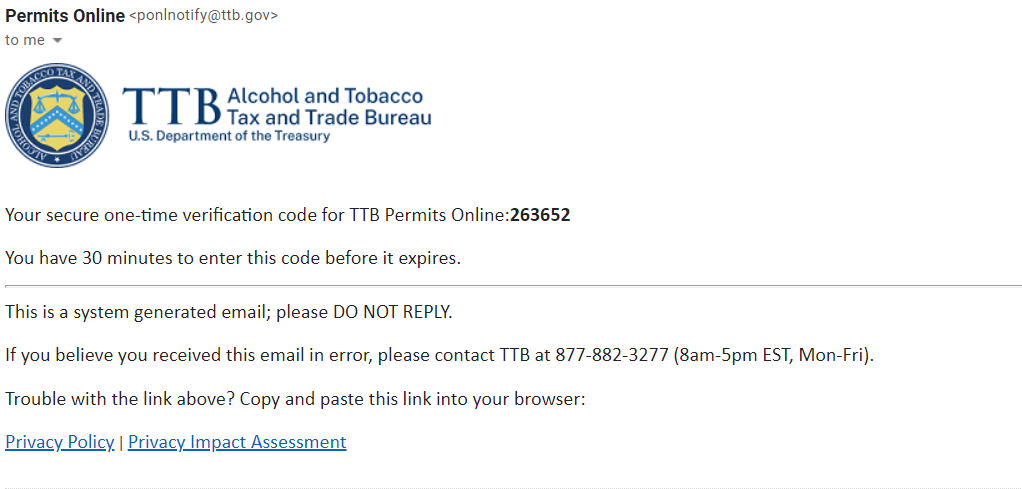
- Open your email and find the TTB email (example email message shown below):
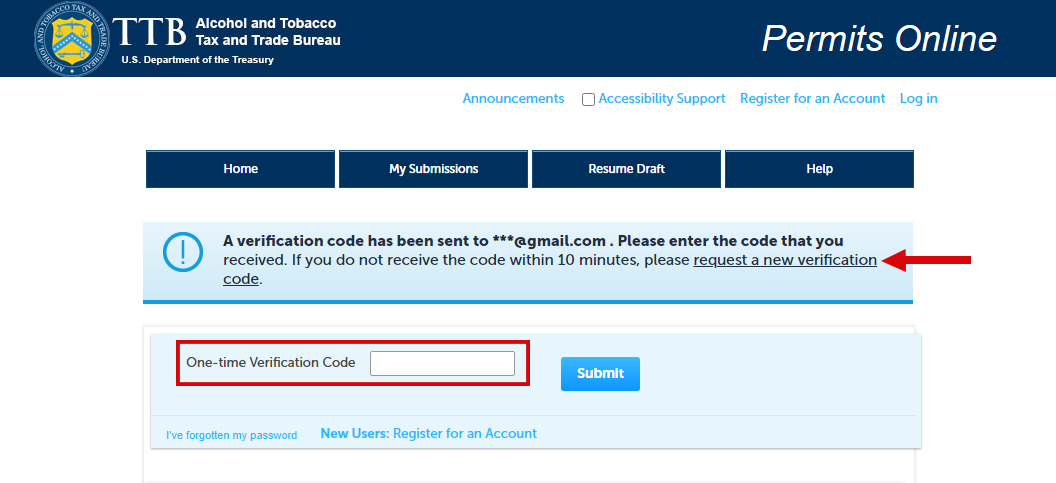
- Enter the code you receive via email in the One-time Verification Code field.
- If the code has expired or is entered incorrectly 3 times, you can request a new verification code link.
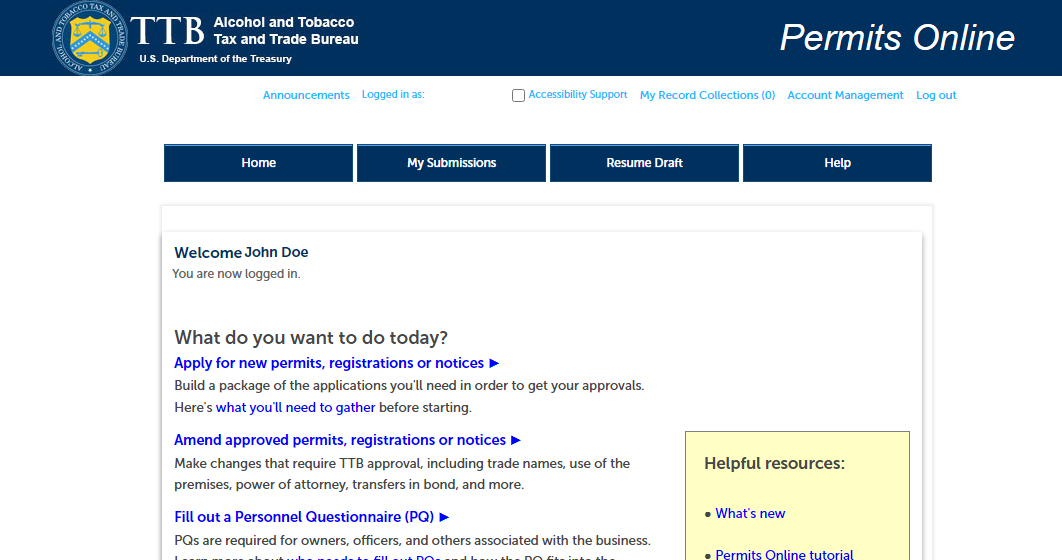
- The Permits Online welcome screen should open and you are now logged in to your account.
Additional Information About One-time Verification Codes
When it comes to securing online accounts, most of us are familiar with the standard combination of using a username and a unique password. For many years, this was considered a reasonably secure way to limit access to just the authorized users of the account. However, due to normal human behavior, people tend to choose easy to remember passwords or reuse the same passwords at multiple online accounts.
MFA is a mechanism to verify individual’s identity by requiring them to provide more than just a username and password. MFA requires a user to provide two or more of the following:
- Something the user knows – e.g., a password, pass phrase, or PIN
- Something the user has – e.g., a physical token, a phone-based authenticator, or one-time verification code
- Something the user is – e.g., a biometric, such as fingerprint or retina pattern
- Please check your email’s Spam or Junk folder
- Add ponlnotify@ttb.gov and do-not-reply-myttb@ttb.gov to your safe list to prevent future emails forwarded to your Spam or Junk folder.
- Request a new verification code using the request a new verification code link (shown below).
- Unfortunately, the email address shown/associated with your existing Permits Online account CANNOT be changed.
- A new Permits Online account must be created with a different email address. With the new Permits Online account, submit a Link Request to get access to all the permit(s) information from your previous Permits Online account.
NOTE: You cannot use an email address that is already in use by Permits Online (already associated with an account) when creating a new account.
- You have 30 minutes to enter your code before it expires after the email has been sent.
- If the code has expired or is entered incorrectly 3 times you can request a new verification code using the request a new verification code link (shown below).
- Yes, you are required to provide one-time verification code in order to access your Permits Online account.
- Anytime you log off from Permits Online or close your internet browser, you will be required to provide a new one-time verification code in order to access your Permits Online account.
- The President’s Executive Order (EO) 14028 on Improving the Nation’s Cybersecurity issued on May 12, 2021, it requires all federal government agencies to employ and fully adopt multi-factor authentication (MFA).
- New login process provides an increased level of security for all industry members when accessing TTB applications.
Last updated: January 8, 2026
Maintained by: National Revenue Center