U.S. flag

An official website of the United States government

Permits Online: Preview the Bonded Winery – Full Operations Application

Note: This page contains instructions and screenshots so you can see what to expect when using Permits Online, our online method of applying for a TTB permit, registration, or notice.

Apply Online!

File this application type if you intend to produce, blend, and store wine.

File "Bonded Winery - Under 7% Alcohol" instead if you plan to produce, blend, and store only wine, including cider, that has less than 7% alcohol by volume.

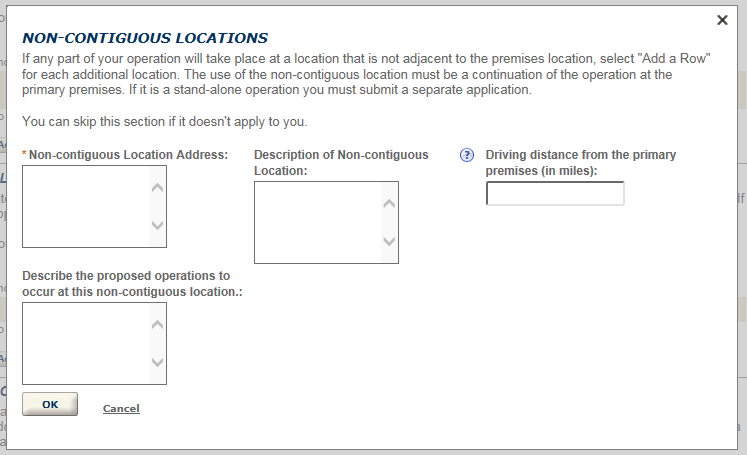
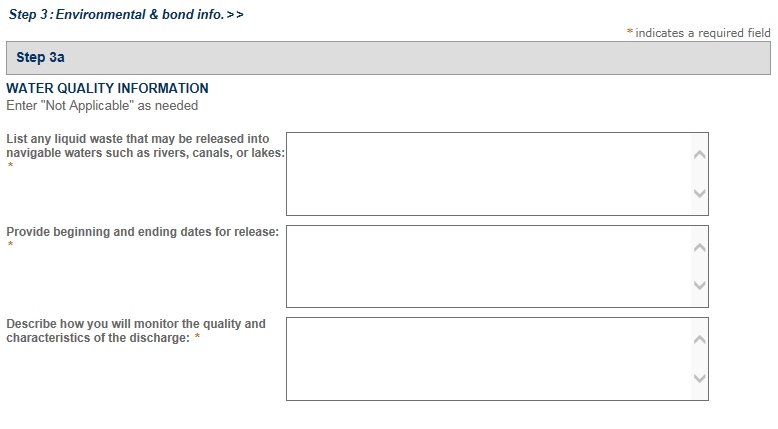
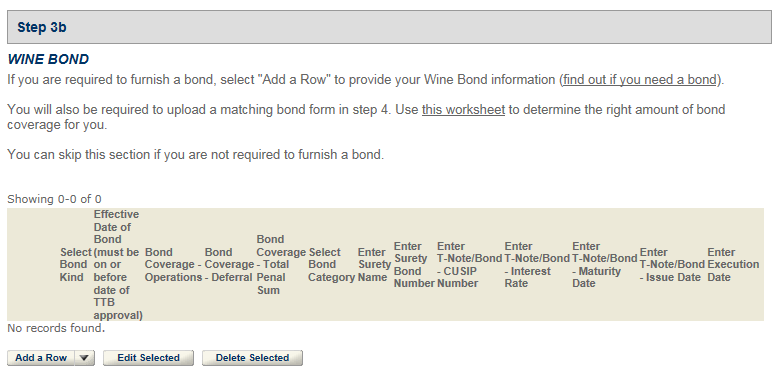
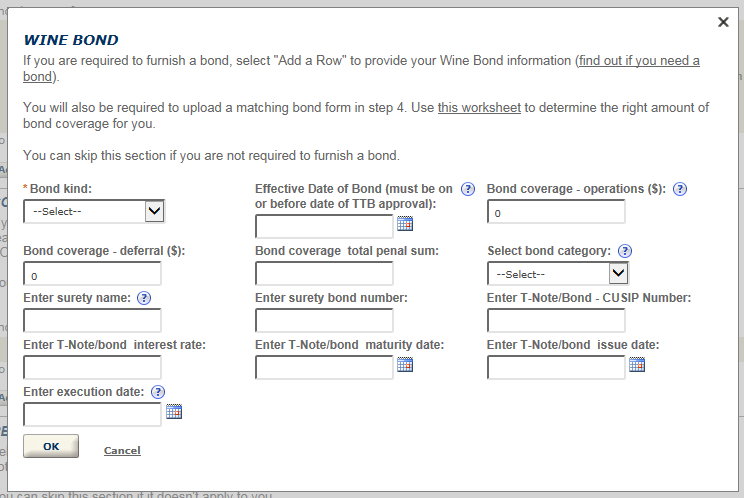
*Please note: not all questions shown in the screen prints below will appear when you fill out your application. Some questions appear based on the answers you select.

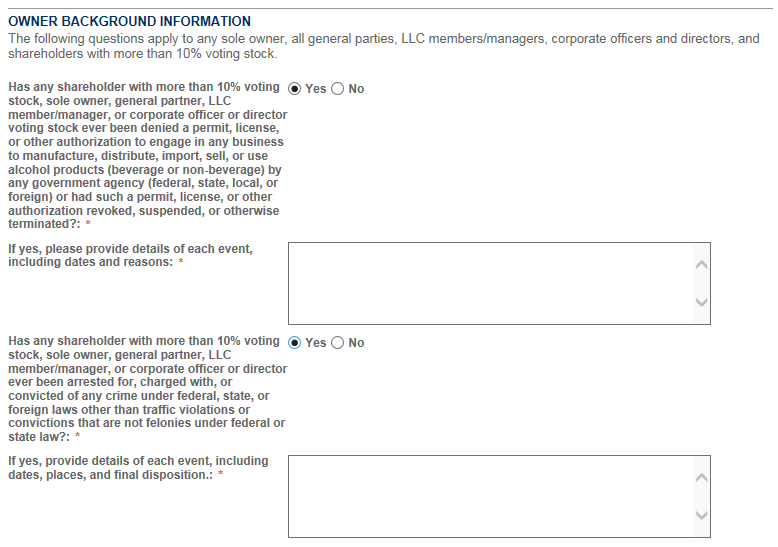
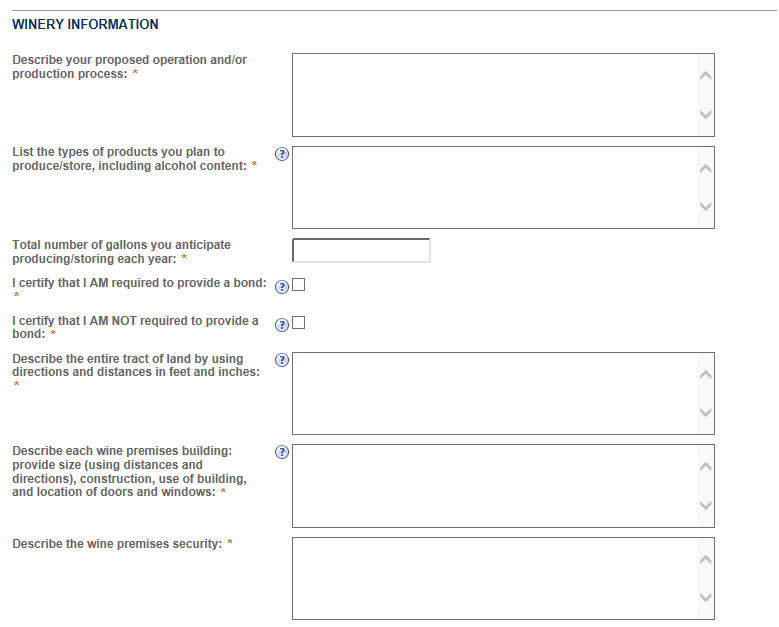
Step 2: Operation description
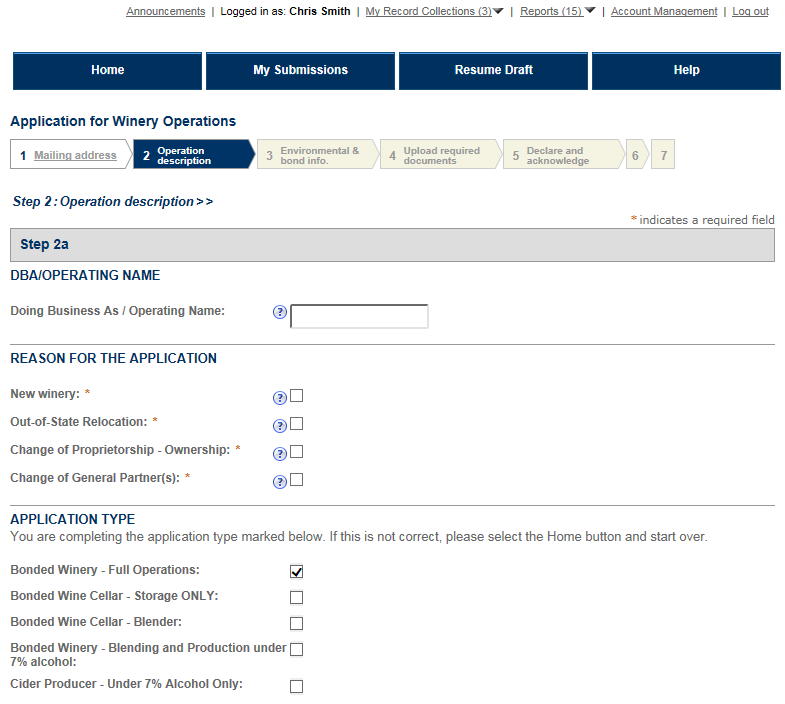
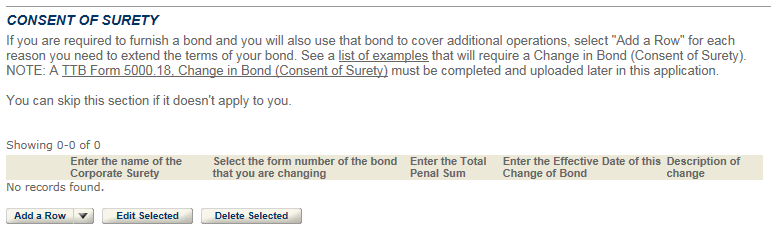
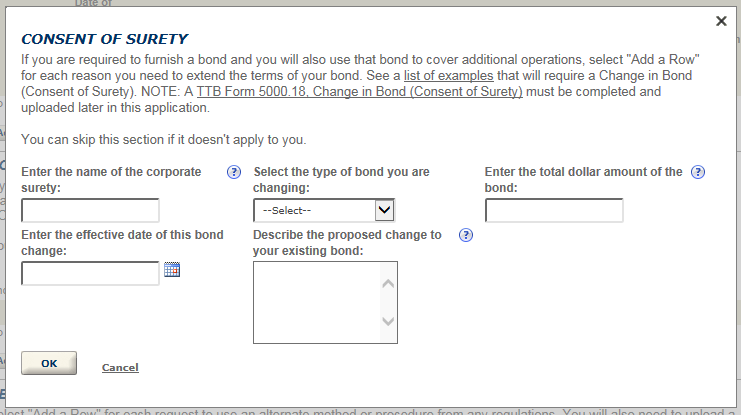
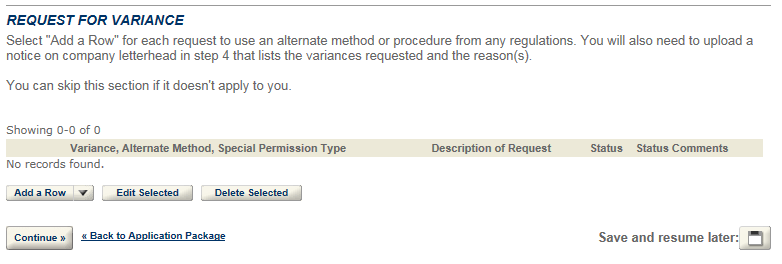
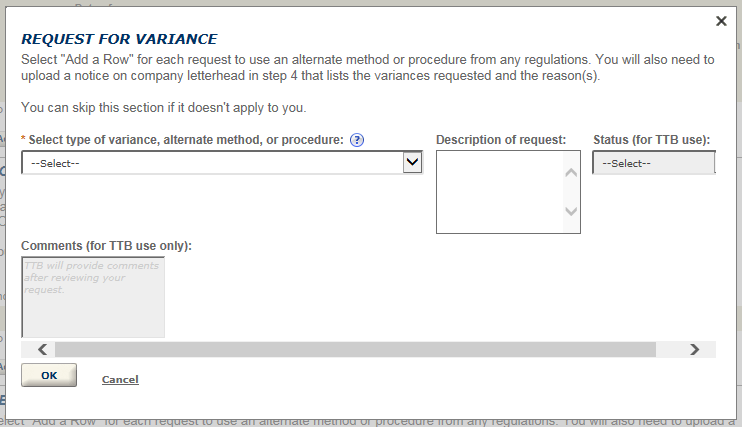
Permits Online screenshot 1: Step 2: Operation description
Permits Online screenshot 2: Step 2: Operation description
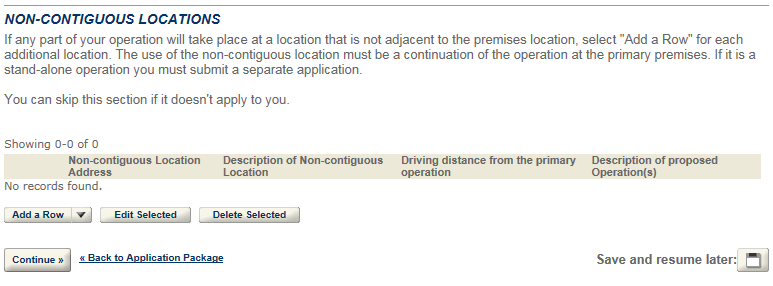
Permits Online screenshot 3: Step 2: Operation description
Permits Online screenshot 4: Step 2: Operation description

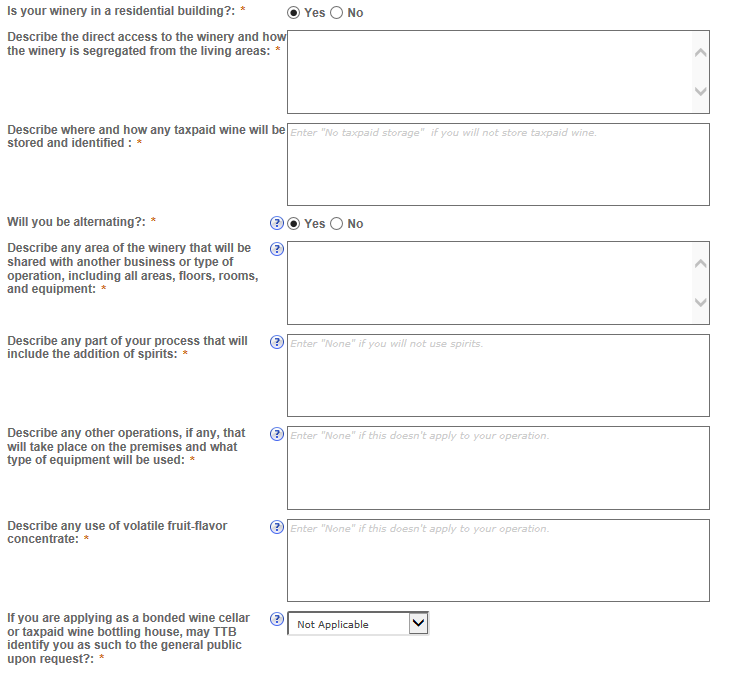
*If your winery is in a residential building, you will need to answer additional questions. If you are alternating, additional questions will appear.
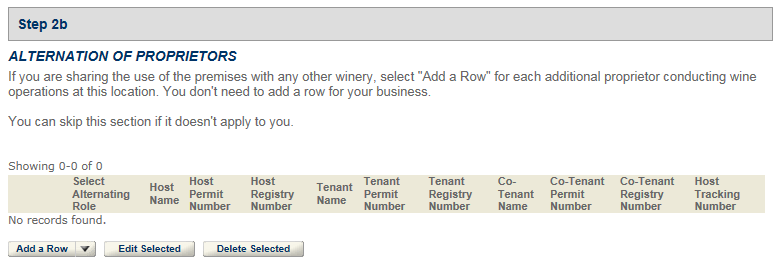
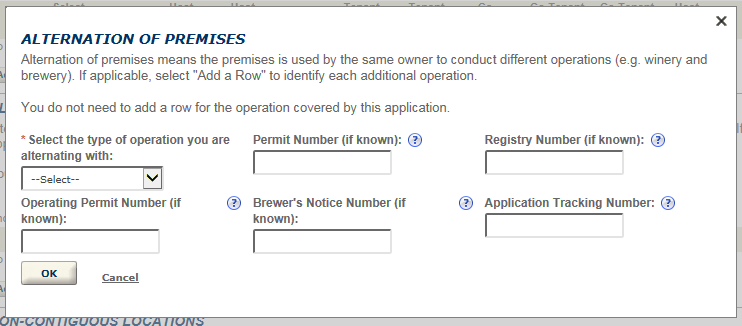
Permits Online screenshot 5: If your winery is in a residential building, you will need to answer additional questions.
Permits Online screenshot 6: If your winery is in a residential building, you will need to answer additional questions.
Permits Online screenshot 7: If your winery is in a residential building, you will need to answer additional questions.
Permits Online screenshot 8: If your winery is in a residential building, you will need to answer additional questions.
Permits Online screenshot 9: If your winery is in a residential building, you will need to answer additional questions.
Permits Online screenshot 10: If your winery is in a residential building, you will need to answer additional questions.
Permits Online screenshot 11: If your winery is in a residential building, you will need to answer additional questions.
Permits Online screenshot 12: If your winery is in a residential building, you will need to answer additional questions.
Permits Online screenshot 13: If your winery is in a residential building, you will need to answer additional questions.
Permits Online screenshot 14: If your winery is in a residential building, you will need to answer additional questions.
Permits Online screenshot 15: If your winery is in a residential building, you will need to answer additional questions.

Step 4: Upload required documents
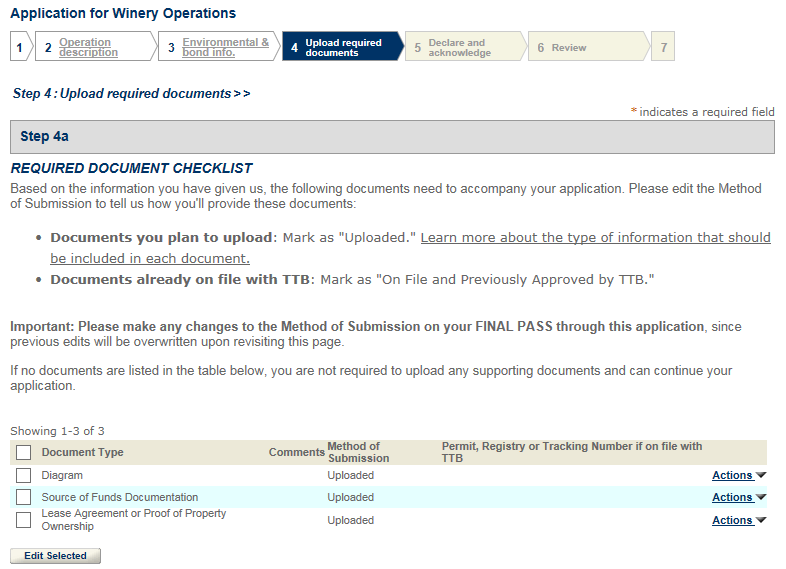
Permits Online screenshot 16: Step 4: Upload required documents
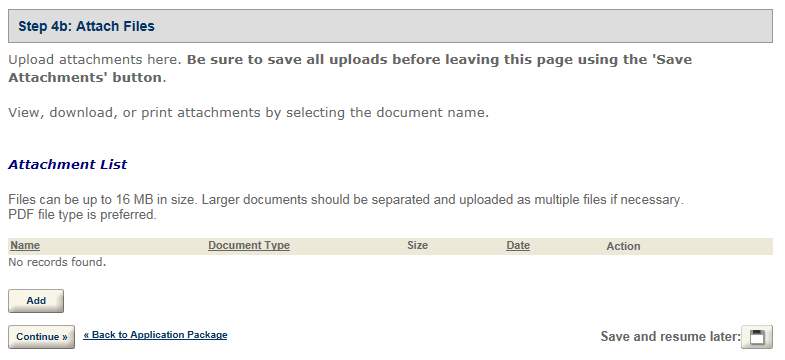
Permits Online screenshot 17: Step 4: Upload required documents


Go back to the Permits Online Help Center


IMPORTANT

Permits Online makes it easy for you to electronically apply for and update the permit, registration, or notice you need to operate a TTB-regulated business. Once you have registered to use Permits Online, just log in and follow the instructions and prompts for submitting your application package. There is no fee to apply.

CONTACT US

For more information on the permit application process, contact the TTB National Revenue Center (NRC) toll-free at 877-882-3277 / 877-TTB-FAQS or submit an online inquiry. For technical assistance with Permits Online see our TTB Online Help Center.

Tell us what you think. We are always looking for ways to better serve you. Please send us your comments.

Last updated: March 17, 2025
Maintained by: National Revenue Center