

The .gov means it's official.
Federal government websites often end in .gov or .mil. Before sharing sensitive information, make sure you're on a federal government site.

The site is secure.
The https:// ensures that you are connecting to the official website and that any information you provide is encrypted and transmitted securely.

How to Apply for a New Permit, Registration, or Notice
Note: This page contains instructions and screenshots so you can see what to expect when using Permits Online, our online method of applying for a TTB permit, registration, or notice.
Permits Online uses a wizard to help you identify, fill out, and submit a package of all the applications you will need in order to get your TTB permits, registrations, and/or notices.
To start, you'll be asked a short series of questions. Based on your answers, the wizard then creates a custom package of one or more applications. Once you've completed all of the applications, submit the entire package to TTB for processing.
Here's how it works:
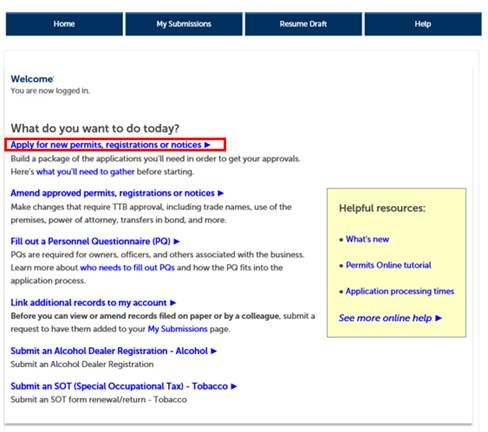
- Select "Apply for new permits, registrations or notices" from the Permits Online home page:
- Answer some questions about the business and the product(s) you want to produce, sell, distribute, etc. We'll ask you for the following information:
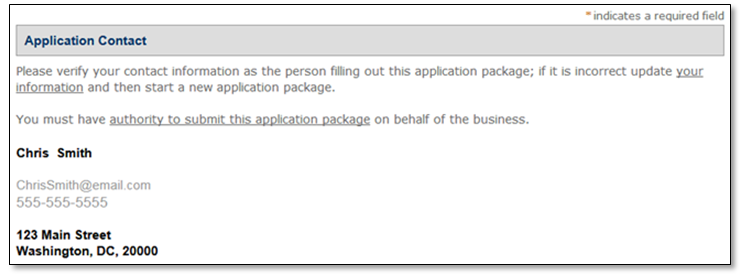
Application contact: The contact information shown should be for the person who is logged in to Permits Online. This is who TTB will contact if we have questions about the application.
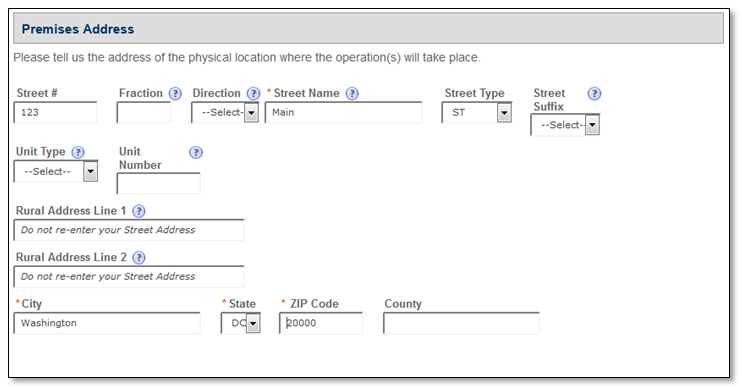
Premises address: Provide the address for the physical location of the business operation(s).
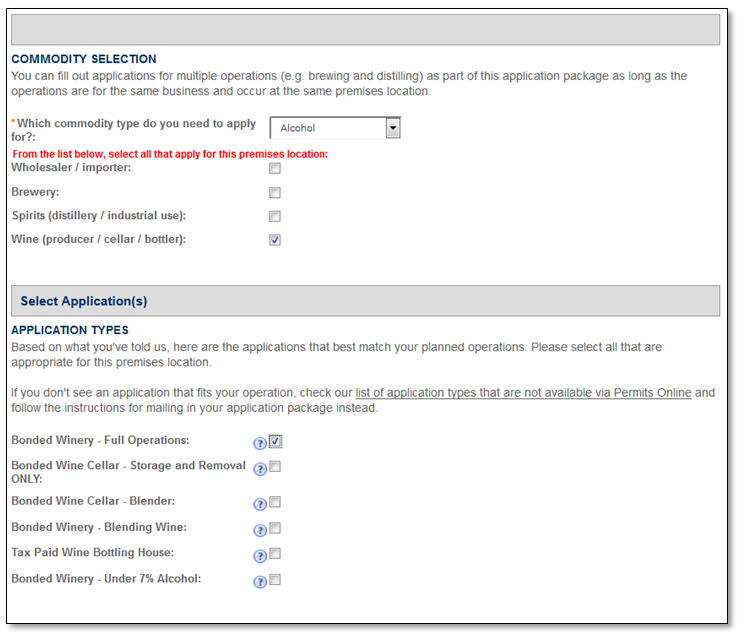
Commodity selection and application type: Select your commodity. Based on that, a list of possible application types will appear; select all that are applicable based on the type of TTB-regulated business you plan to conduct at this premises.
Business entity information: Provide some basic information about your business entity. As part of this, we'll ask how you plan to provide the required Personnel Questionnaires (formerly called OOIs), which are used to gather information about owners, officers, and others associated with the business. Learn more about Personnel Questionnaires (PQs).
Be sure you have the tracking numbers for any PQ/OOI applications being submitted separately from this application package or that are already on file with TTB; you will need to enter them later in the application process.
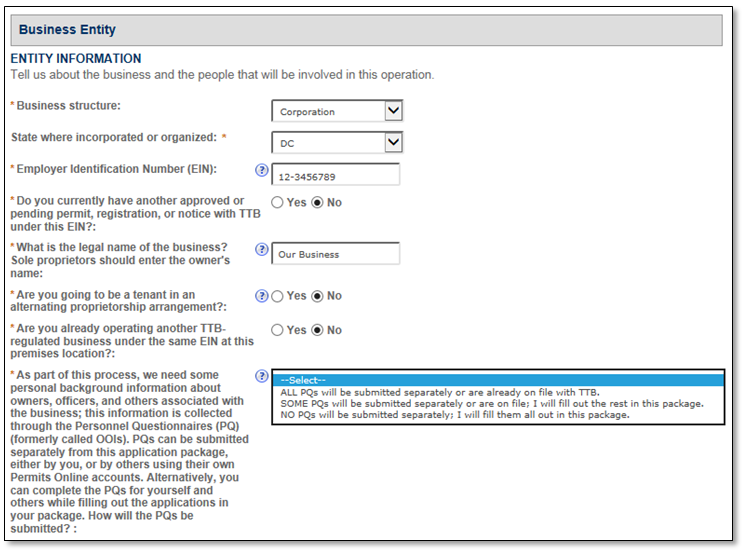
Ensure your answers are correct: Before you continue, review the answers you gave in the previous sections. Once you leave this screen, you won't be able to change your answers (despite the Review screen that appears next), since the wizard will use them to build your application package.
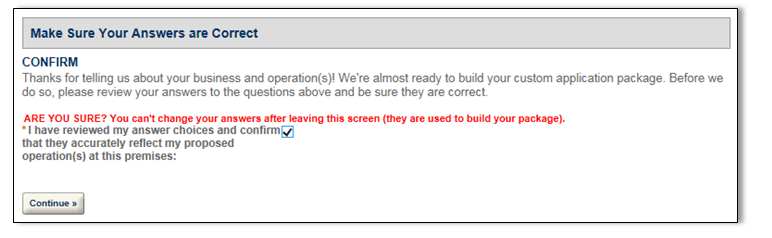
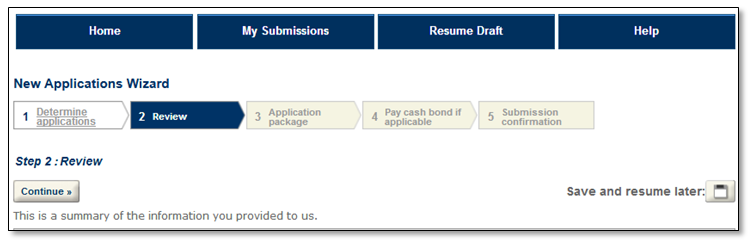
Review the answers you provided; however, since you can't go back and edit your answers at this point, you will need to start over if you find an error on this page.
- Fill out the applications in your application package. Although the applications you will see in your package depends on the answers you provided in the first part of the application process, typical packages will include the following (select the links below to preview each application):
- Application for Original Entity - Gathers information about the business that will be conducting the commodity operation(s). If the application package is for a business that holds other permits/registrations/notices with TTB, you will:
- Not see an Entity application in the package (as one is already on file), or
- You'll see an Amended Application for Entity Information (if you indicated you needed to make changes to the business information already on file).
- Commodity operations application(s) (e.g. Application for Winery Operations) – You'll see one for each new commodity operation at the premises.
- Personnel Questionnaires (PQs) - You may see multiple PQs if you indicated you needed to fill them out for more than one person in the first part of the application process.
- Application for Original Entity - Gathers information about the business that will be conducting the commodity operation(s). If the application package is for a business that holds other permits/registrations/notices with TTB, you will:
Select "Start" to begin each application. You can save at any time by selecting "Save and resume later."
A note about editing your applications: Although you can't go back and change the answers you provided in the first part of the application process (since they were used to determine the applications in your package), you CAN make changes to the individual applications within your new application package up until you submit. Learn more about editing your applications.
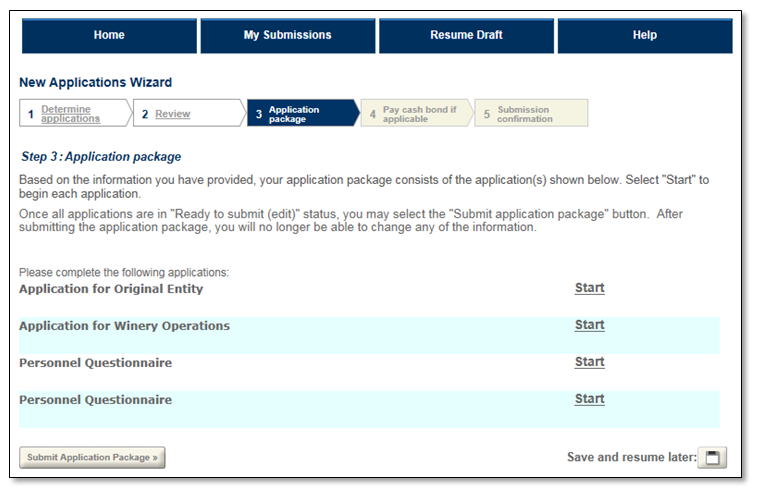
Submit your application package. As you complete each application in the package, its status will change to "Ready to submit (edit)." Once you have filled out all the applications in your package, select "Submit Application Package" to send all your applications to TTB for review and approval.
We will notify you if we have questions or need you to correct application errors or omissions. Learn more about what happens after you submit your package.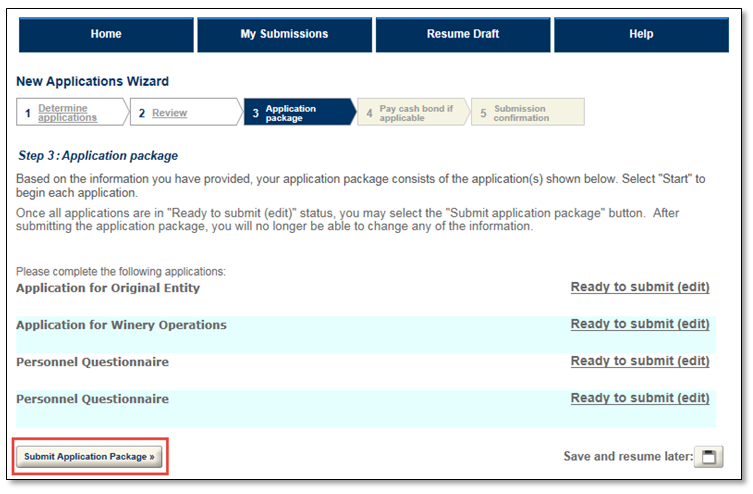
Go back to the Permits Online Help Center
Last updated: July 2, 2025
Maintained by: National Revenue Center