

The .gov means it's official.
Federal government websites often end in .gov or .mil. Before sharing sensitive information, make sure you're on a federal government site.

The site is secure.
The https:// ensures that you are connecting to the official website and that any information you provide is encrypted and transmitted securely.

Permits Online Tutorials Part 2 P8
Note: This page contains instructions and screenshots so you can see what to expect when using Permits Online, our online method of applying for a TTB permit, registration, or notice.
Part Two - Submitting Your Application
Step 2: Review
A review of all information you entered before you submit your application package
Step 3: Application Package
Based on the information you have provided, your application package will consists of the application(s) you selected. Select "Start" to begin each application.
Example:
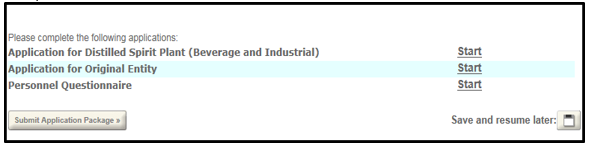
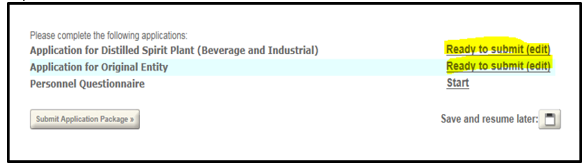
After each section is completed you will be returned to the application package to continue to the next application.
Once all applications are in "Ready to submit (edit)" status, select the "Submit Application Package" button. After submitting the application package, you will no longer be able to change any of the information.
 |  | PONL |  |  |
Last updated: October 28, 2025